- Ben Haresign
- 02 Jul, 2026
- Access
- 10 min read
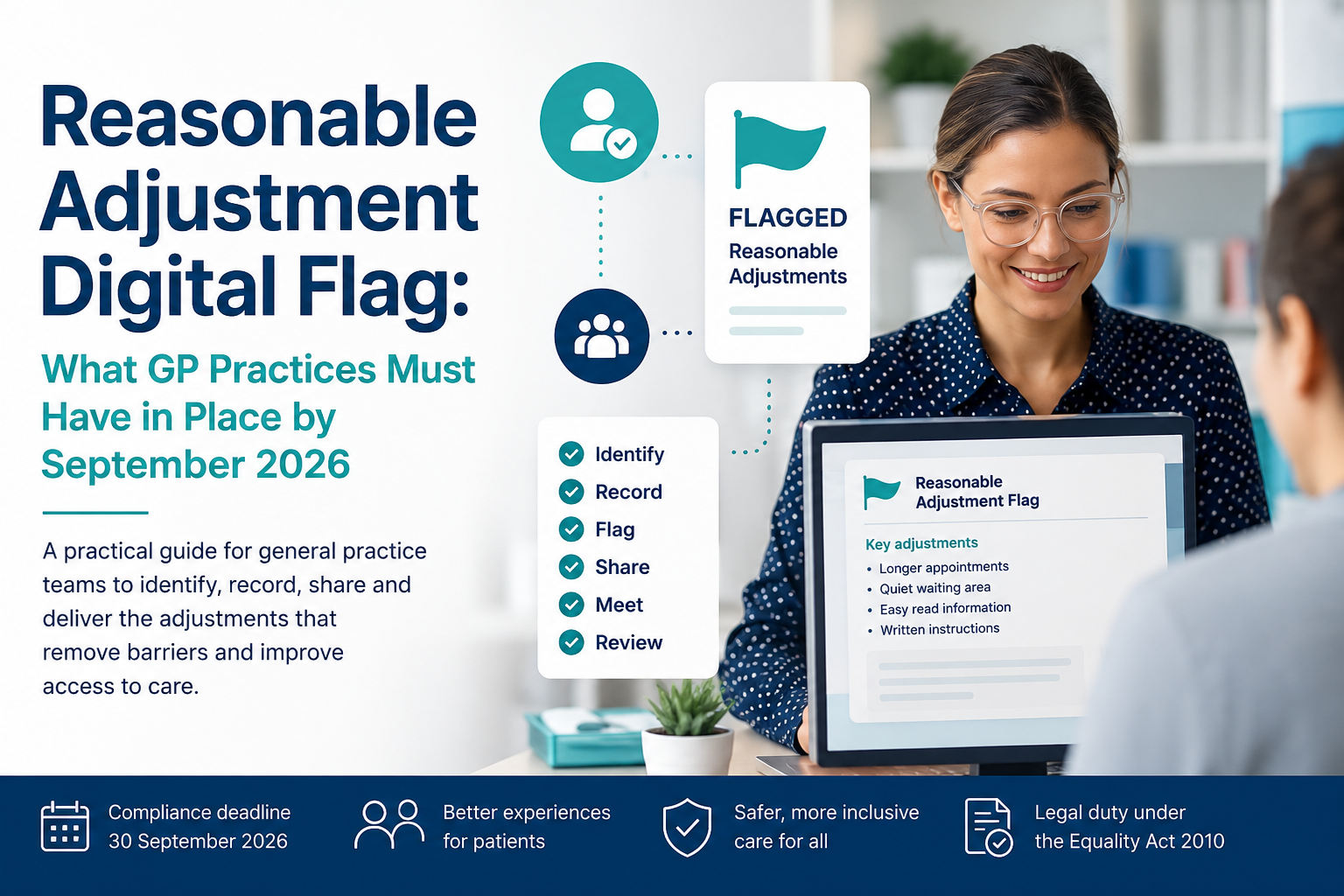
Reasonable Adjustment Digital Flag: What GP Practices Must Have in Place by September 2026
Reasonable Adjustment Digital Flag: What GP Practices Must Have in Place by September 2026
The Reasonable Adjustment Digital Flag is moving from a useful local recording tool to a nationally shared information standard. Practices now need more than a template and a pop-up: they need a reliable, trained and auditable process that identifies an adjustment, records it, shares it and—most importantly—delivers it.
All NHS and publicly funded health and social care providers in England must fully implement the national information standard.
This is not simply another clinical-system coding exercise
Compliance means having a complete process to identify, record, flag, share, meet, review and update reasonable adjustment requirements. A code that nobody notices—or an adjustment that is recorded but not provided—does not remove the barrier experienced by the patient.
What is the Reasonable Adjustment Digital Flag?
The Reasonable Adjustment Digital Flag is a national record indicating that a person requires reasonable adjustments when accessing health or social care. It can include the key adjustments that staff need to consider and, where appropriate, relevant information about the person’s impairment.
It is available through the National Care Records Service and is being connected to local point-of-care systems through the Patient Flags FHIR API. The aim is simple: a patient should not have to repeatedly explain the same accessibility requirements every time they encounter a different part of the NHS.
Visible
Staff should be able to see immediately that adjustments are required.
Shareable
Information can follow the person between publicly funded health and care services.
Actionable
The record should describe practical actions rather than simply listing a diagnosis.
Who should have a flag?
A Reasonable Adjustment Digital Flag should only be created where the person meets the Equality Act 2010 definition of disability. This means they have a physical or mental impairment that has a:
Substantial effect
The effect is more than minor or trivial and affects the person’s ability to carry out normal day-to-day activities.
Long-term effect
The effect has lasted, or is expected to last, for at least 12 months.
Important distinction
Requiring an interpreter because a person does not speak English does not, by itself, meet the Equality Act disability threshold. An interpreter may still be necessary to provide safe and equitable care, but language need alone should not automatically trigger a Reasonable Adjustment Digital Flag.
Equally, a diagnosis should not automatically generate a standard list of adjustments. Two people with the same condition may experience completely different barriers.
The six-step practice process
Your policy, clinical-system configuration and staff training should support this complete cycle.
Identify
Ask about barriers and adjustment needs during registration, reviews, recalls, vaccinations, annual health checks and routine contacts.
Record
Record the Equality Act threshold and the specific adjustments required using the appropriate structured codes and concise supporting information.
Flag
Make the information prominent and immediately visible to reception, administrative and clinical staff.
Share
Include relevant adjustment information in referrals, correspondence and nationally shared records.
Meet
Act on the adjustment when booking, communicating with or providing care to the patient.
Review and update
Confirm that the information remains accurate and update or remove adjustments when the person’s circumstances change.
What does the September 2026 deadline actually mean?
| Area | What should be in place? |
|---|---|
| Local process | A documented process to identify, record, flag, share, meet, review and update adjustment information. |
| Policy and governance | An approved policy, named owner, clear responsibilities, escalation route and audit process. |
| Clinical system | Appropriate templates, structured coding and prominent alerts or record flags. |
| National sharing | Readiness to read from and write to the national flag through NCRS or an integrated clinical system. |
| Staff readiness | Relevant staff trained to recognise needs, use the system and deliver the recorded adjustment. |
| Ongoing identification | A sustainable process for identifying people through routine contacts—not a one-off data-cleansing project. |
Coding the flag correctly
Practices should use the current national code set and the workflow provided by their clinical-system supplier. The most important national threshold code is:
| SNOMED CT code | Description | Use |
|---|---|---|
1326341000000105 |
Impairment with substantial and long-term adverse effect on normal day-to-day activity (Equality Act 2010) | National Equality Act threshold code required for the digital flag. |
1108111000000107 |
Requires reasonable adjustment for health and care access (Equality Act 2010) | Used for a bespoke adjustment when a suitable specific adjustment code is not available. |
2969601000000109 |
Objection to upload data to Reasonable Adjustment Digital Flag upheld | Locally held objection code; it is not itself shared through the Patient Flags API. |
1833271000000103 |
Review of Reasonable Adjustments needs | Locally held code that can support a documented review process. |
Do not copy an old coding table directly into your SOP
National codes and supplier workflows are still being refined. Questionnaire outcome codes or older “consent given” codes displayed in local resources may be system-specific or superseded. Check the current NHS England code set and test your supplier’s template before undertaking batch coding.
Consent, transparency and objections
Explicit patient consent is not the lawful basis used to create and share the Reasonable Adjustment Digital Flag. The information is processed to support direct care and fulfil legal obligations.
Practices should nevertheless:
- explain what information is being recorded and why
- ensure the person is aware that relevant information may be shared with other health and care services
- respect and record a valid objection where applicable
- apply the Mental Capacity Act where the person may lack capacity for a relevant decision
- record only information that is relevant, necessary and proportionate
A person can choose not to disclose the details of their impairment. NCRS includes a “patient would prefer not to say” option, allowing the service to focus on the adjustment required rather than creating an unnecessary list of medical conditions.
What might a reasonable adjustment look like?
Adjustments must be based on the individual barrier identified. The following are examples, not automatic packages linked to a diagnosis.
Communication
- Written information following a consultation
- Easy-read letters or information using pictures
- Text or email rather than an unexpected telephone call
- British Sign Language or other communication support
- Simple language, additional processing time and no jargon
- Use of a communication chart or healthcare passport
Appointments
- A longer appointment
- An appointment at a quieter time of day
- Additional reminders before the appointment
- Continuity with the same clinician where possible
- Allowing additional time to enter or leave the building
- A telephone call before attending to explain what will happen
Environment
- Access to a quiet waiting space
- Reduced sensory stimulation or distractions
- Use of an accessible consultation room
- Clear signage and uncluttered routes
- A functioning and clearly advertised hearing loop
- A familiarisation visit before an appointment
Support
- A carer, advocate or support worker attending
- Sensory aids or communication equipment
- Additional support to understand choices and consent
- Avoiding repeated requests for the same information
- Sending adjustment details with onward referrals
- Agreed arrangements where a person cannot wait in a queue
A practical implementation plan for general practice
1. Assign ownership
Name a clinical lead and an operational lead. Agree who processes questionnaires, checks coding quality, responds to queries and completes audits.
2. Map the complete patient journey
Follow an adjustment from identification through registration, booking, arrival, consultation, referral and follow-up. Include telephone, online and face-to-face contacts.
3. Configure the clinical system
Place the approved template somewhere prominent, use the correct structured codes and make the adjustment visible through an alert, patient plan or record banner.
4. Check smartcard access
Confirm that relevant staff can view or maintain the national flag in NCRS. Do not wait until a patient is in front of reception before discovering that nobody has the required role.
5. Train the whole team
Training should include real scenarios for reception, administration, dispensary, nursing and clinical teams. Staff must understand both how to record an adjustment and how to deliver it.
6. Start with controlled cohorts
Consider groups such as patients with a learning disability, autistic patients, people with dementia, sensory impairments or significant mobility difficulties. Search results should prompt an individual review—not automatic batch creation of flags.
7. Update patient communications
Add a reasonable adjustment question to new-patient forms, recall letters, appointment communications and the practice website. Explain how patients or carers can tell the practice about a barrier.
8. Audit delivery—not just coding
Sample records to confirm the adjustment was visible, communicated and actually provided. Review complaints, missed appointments and failed contacts for evidence that an unmet adjustment contributed.
NCRS smartcard access
Access to the Reasonable Adjustment Flag in NCRS is controlled through role-based access control activity codes.
| RBAC activity | Typical capability |
|---|---|
B0264 |
See whether a flag exists. |
B0257 |
View the content of the flag. |
B0380 |
Create and maintain Reasonable Adjustment Flag information. |
Practices should confirm the exact access required with their local registration authority and test access using the current NCRS workflow. All creation, viewing, updating and deletion activity is audited.
What evidence should a practice retain?
- Approved Reasonable Adjustment Digital Flag policy
- Documented end-to-end workflow
- Staff training records and briefing material
- Clinical-system configuration screenshots
- Smartcard and access review
- Patient communications and accessible website content
- Completed record audits
- Examples showing adjustments were delivered
- Learning from complaints or failed contacts
- Action plans and subsequent re-audit
Common practice questions
The flag is only useful if the adjustment happens
The strongest practice process is not the one with the largest number of coded records. It is the one where staff can quickly understand what the person needs and reliably change the service to remove the barrier.
Recommended first test
Select one small patient cohort and follow ten records from identification through to a real appointment. The gaps will become obvious very quickly.